Are you tired of lacking real skills and need a superficial victory over VS Code users with more accomplishments than you? Would you like to eschew your neutrality and enlist in an age-old war?
Then which will it be? E— or V—?
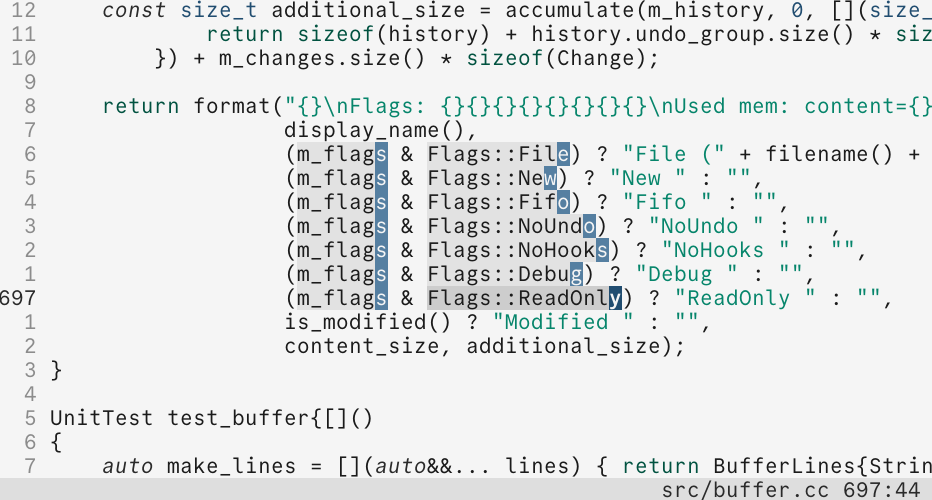
Better. For almost two months, I’ve been using Kakoune, a modal code editor much like Vim, for all my writing, and a little code. I’ve used it to spit out a couple of poems, a few thousand words of hypertext fiction, plenty of notes, and a post plus several drafts for this site.
I have not written this to tell you why Kakoune is the best editor, even though it is. Others have already done that better than I ever could.2 Nor am I going to teach you how to use it, for the same reason. I do, however, aim to introduce a unique perspective on how I’m using Kakoune for creative writing.
Writing prose in plain text is not a novel idea. Look no further than the popularity of Markdown, Org Mode, Obsidian, and the rest. For simplicity and portability, it is unbeatable. Plain text is going nowhere.
The First Kakoune Community Survey, conducted in 2020, found, unsurprisingly, that only eight out of 142 respondents using Kakoune for work were using it primarily for writing prose. I would love to hear if any of the few Kakoune users out there are enjoying the editor for writing on the more creative side, like I am.
If there are many others, they must not be sharing their experience or, what we truly care about, their configuration. This is what Vim and Emacs users have on us. Being the definitive end-game editors for decades has done a lot for those who insist on using them for prose.
Fortunately, Kakoune is capable of nearly everything you’d ever need, and a unique pleasure to extend when you must.
Objects and Selections
The main sell of Kakoune is that normal mode emphasizes manipulation of your selections before applying an action. Navigating text and selecting text are one and the same.
Beyond the usual word-, character-, and line-based commands
(w, e, t, goto mode, &c.), Kakoune recognizes sentence
and paragraph objects in its object modes. For example,
<a-a>p selects around the current paragraph, including the
following blank line; <a-i>p selects only the paragraph text;
]p selects to the end of the surrounding paragraph; and }p
extends the selection as well. We also have consistent results
with {p and [p, which work backwards to the beginning of
the paragraph. If that isn’t enough, we can select inside the
paragraph block by prefixing any of those four commands with alt
(equivalent to the difference between using <a-i>p instead of
<a-a>p). You can do all the same with sentences, and I use
this more than anything.
This is not a feature unique to Kakoune,3 but when combined
with the visual and incremental nature of the editor, it gives
something that writers are likely to appreciate. As you move
around a sentence or a paragraph, as you pick out pieces from
the whole, you’re watching and manipulating that selection the
entire time. Rearranging sentences is not a matter of deleting,
undoing, changing your mind and deleting again, but rather
a careful adjustment of your selection in a way that aligns
with the thought process of a writer: “maybe keep that ending,
oh cut that part out … but wait, not that phrase, I like that
one.” Writers may want to mull over their edits a little more
than diw in Vim allows.
Wrapping
Kakoune is great for navigating plain text. If you want to write in a hard-wrapped environment, it might be the best. Some workflows, especially when line breaks are utilized intentionally to separate sentences or thoughts, are beautifully navigable in Kakoune; we can comfortably select and rearrange sentences as lines. In this regard, writing poetry in Kakoune is essentially perfect.
There is, however, heated debate on the proper way to wrap plain text—semantic line breaks, a fixed character limit, soft-wrap. I am still undecided, but lean toward soft-wrapping for compatibility with modern GUIs. Unfortunately, and perhaps my only significant complaint with Kakoune, is that it does not properly support it.
I have been using the built-in autowrap feature to approximate the feel of soft-wrapping with some success. Kakoune is designed with UNIX and all its text-manipulating tools in mind. With the proper tool to pipe through, we can shape the text in any way. Hooks on mode change, character insertion, and other events allow for a dynamic solution.
The built-in autowrap is a good starting point and utilizes the composability of Kakoune to pass text through fold and align lines on character insertion. It has some bugs, and I have some thoughts about how to improve the script that I might write about in the future.
There is something enjoyable about writing without automatic wrapping anyway. You can imagine the bell before you press return.
Links and Wikis
If you want to talk about plaintext note-taking in 2026, you would be remiss not to mention wiki-links, graphs, Zettelkasten, and whatever other complicated system is currently considered an essential part of the simple act of note-taking.
Personally, I’m okay with one brain, but linked files are still valuable in other ways. In my writing, I’ve been using links to explore creative hypertext, and having it work in my editor is valuable. There is an excellent LSP plugin that you can use to bring servers like Marksman and Markdown-Oxide into your editor.
It is worth noting that no plugin or external program is needed to
navigate in a hypertext style. gf, “goto file,” will work nicely
on filenames or paths.
I’ve wanted to write a short poem where every word links to another. If I name the file of each connecting poem by the word that links to it, navigating the layers of the poem would work perfectly with the built-in behavior. More complicated navigation can be achieved using your own scripts, such as appending file extensions, grepping for backlinks, or opening links in a separate window or program.
Why Kakoune?
You are unlikely to be so easily sold on my choice of writing environment. Is it worth the effort, the minimalism, the memorization, the learning curve? In truth, none of these are as great as the challenges they might seem. It is exactly the intuitive and consistent keymap and philosophy that makes Kakoune so great to use.
In the end, you get an environment that allows you to navigate and edit your writing in a quick and comfortable manner. Once you have a small amount of muscle memory, that is. There is something extremely inspiring about being completely free from menus and buttons, all the distracting interface overload.
I don’t expect that this is a workflow fit for most, but I do hope there is something interesting about a modal, plain-text style of composing words.
I recognize that this is not much of an introduction to the editor, especially after comparing it to giants. In truth, I am not so well-acquainted with the alternatives. Kakoune works for me, I enjoy it, and I want to share that.
I have plans to keep writing short notes on how I’m using and extending Kakoune. Perhaps a more general discussion of Kakoune as a code editor will come later, or maybe not.
Screenshot featuring my theme, Cabo, made to match the website. ↩︎
See the official design notes and the article “Why Kakoune” by creator Maxime Coste. ↩︎
Sitting awhile on this post, I’ve come to realize that Vim and Emacs both play better with sentences. Not a surprise, really; I will not deny that both editors are more polished than Kakoune, even if their flaws are polished into them. I think it would take only a slight modification to Kakoune’s source to improve this. ↩︎